How to Open And Use PayPal in Turkey Legally 2026
Trying to use PayPal in Turkey can be confusing. You may see a PayPal Turkey page online and assume the service still works there, only to discover that things are not as straightforward as they look.
In this guide, you’ll see the current status of PayPal in Turkey and why it stopped working. You’ll also see whether you can send or receive money through it, and the practical route people use when they still need PayPal for business or international payments.
Is PayPal Still Available in Turkey?
No. PayPal does not currently operate as a normal local payment service in Turkey.
On PayPal’s Turkey notice page, the company says it stopped its operations in Turkey from June 2016 and that customers in Turkey cannot send or receive money, access their accounts, or withdraw to linked bank accounts there.
So if you’re asking whether a regular Turkish PayPal account still works today, the answer is no. For a simpler country-specific breakdown, see our guide on PayPal Turkey.
Why Did PayPal Stop Working in Turkey?
PayPal stopped working in Turkey after its license application was rejected by local authorities.
Reports at the time said the company had to stop operations because it could not get the required license to continue providing service there.
That is why Turkey is not like countries where PayPal works with limited features. In Turkey’s case, the local service stopped operating entirely.
Why Is PayPal Still Needed in Turkey?
PayPal is still needed in Turkey because many foreign clients, websites, platforms, and digital services still use it as a standard payment method. It remains one of the best-known tools for cross-border payments, especially for freelancers, online workers, and business owners who deal with international buyers.
PayPal’s own help page also shows that its accounts are built for sending and receiving payments, with business accounts offering broader payment tools.
So even though PayPal does not operate locally in Turkey, the demand for it is still there. People still need a way to get paid, pay online, and work with international clients who prefer PayPal.
Can I Receive Funds Through PayPal in Turkey?
Not through a normal Turkish PayPal account. PayPal says customers in Turkey cannot receive money through their accounts, and payment attempts to Turkish accounts will fail.
That said, if your goal is to receive money from clients, there is still a way to structure it properly. We’ll cover that in the solution section below.
Can I Send Money Through PayPal in Turkey?
No, not through a local Turkish PayPal account. PayPal says customers in Turkey cannot send money through their accounts either.
If what you want is to pay for services, subscriptions, or suppliers, the local Turkey route will not solve it. The practical answer is to use a setup that actually works, which we’ll get into shortly.
Can I open a PayPal account in Turkey?
If you mean a normal PayPal account for Turkey, then no, not in the way people expect. PayPal says users are meant to open accounts in the country where they reside, while its Turkey notice also makes clear that Turkey-based customers cannot use PayPal locally there.
But if what you really mean is whether there is still a lawful way to use PayPal from Turkey, then yes, there is a route. That is what the next part of this guide is about.
The Solution — Creating a PayPal Account That Works From Turkey
Even though PayPal does not work as a local Turkish payment service, there is still a lawful way to access PayPal’s features.
The key thing to understand is this: PayPal is region-based. If you are able to set up a proper business account in a country where PayPal is fully supported, you can use PayPal through that structure.
The simple route is to create a PayPal Business account registered under a supported country.
That matters because a business account is meant for companies and business activity, not just for private personal use.
PayPal’s own help page says business accounts are built to operate under a company or group name, accept card and bank payments, and use products like PayPal Checkout.
So the clean route is not to force a Turkish personal account. The clean route is to use a supported-country business setup and do it properly.
Why this is legitimate
- A business account is based on a business structure, not on pretending to be a citizen of another country.
- If the setup is done with real details and proper verification, it stays within a much safer path.
- This route is stronger when it is handled carefully from the beginning.
The problem usually comes when people do it wrongly
Using fake identities or made-up documents will get the account limited or banned.
- Choosing a nationality that is not yours creates a verification problem later.
- Using details that cannot be defended when PayPal checks the account is where many people lose the account.
So the point is simple. If you want this to last, do it the right way.
The Setup — Creating a Verified PayPal Business Account From Turkey
You can create a legitimate business PayPal account in a supported country in two ways:
- Register as a business entity.
- Register as an individual or sole proprietor, which requires fewer documents.
Here’s how to do it step by step.
Step 1 — Select a Supported Location
Your first step is to choose a country where PayPal is actually supported.
Some people use locations such as Argentina, UAE or Serbia, depending on the setup they are aiming for.
Then go to that country’s PayPal site and begin the registration there.
You do not always need a VPN or proxy, but some users prefer to use a paid VPN with a dedicated IP or a residential proxy for extra consistency during setup/usage. Free VPNs are usually not worth relying on.
Step 2 — Choose a Business Account
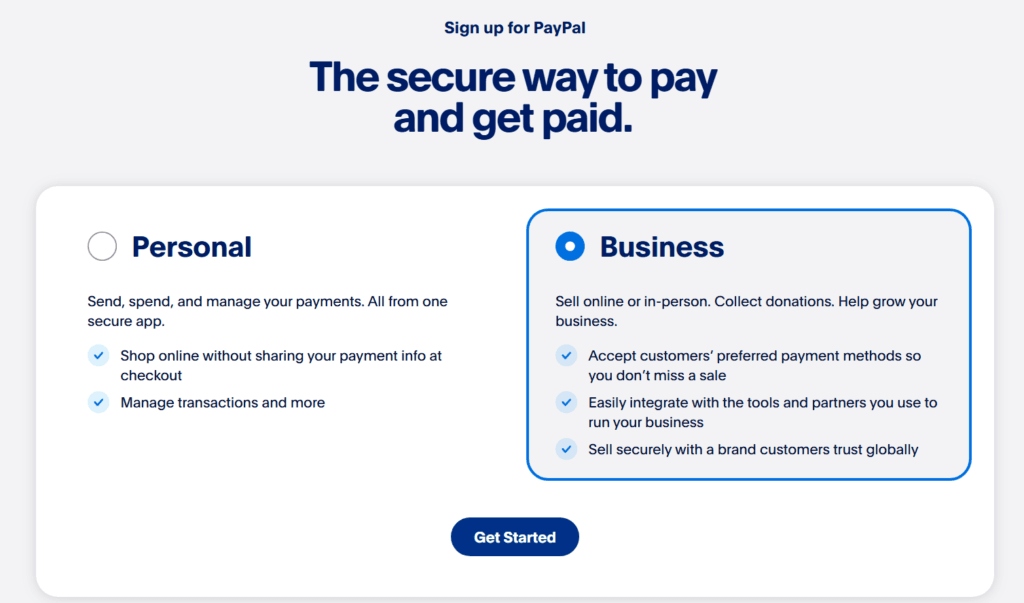
Always choose a business account, not a personal one.
This is important. PayPal’s own help page says business accounts are made for operating under a company or group name, accepting card and bank payments, and accessing PayPal Checkout and other tools.
A personal account is a weaker route here. The business option is the one that matches what you are trying to do.
Step 3 — Use a Fresh Email Address
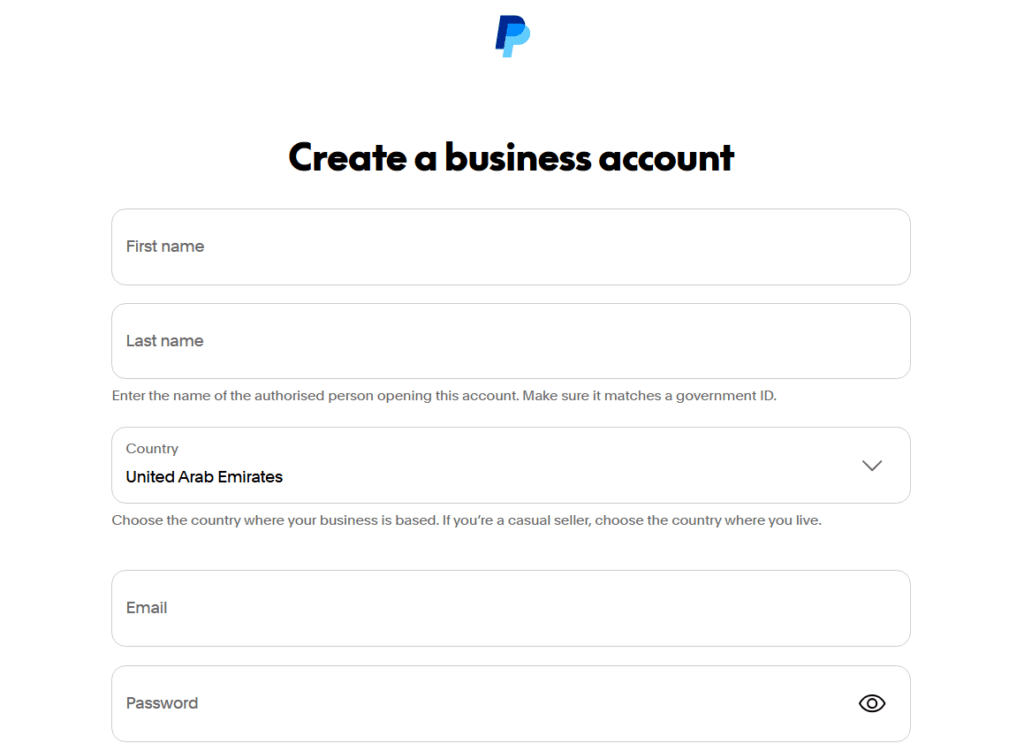
Use an email address that has never been linked to PayPal before.
If the email has old PayPal history on it, it is better to create a new one and keep this setup clean from the start.
Step 4 — Use a Valid Phone Number
While some people try to use their Turkish number during registration, it is not the best move for this kind of setup.
A business PayPal account is supposed to look consistent with the country and structure you are using. When the phone number sends a different location signal, it can create problems later.
So use a valid number that fits the setup properly.
Step 5 — Choose Account Type
After entering your email, phone number, and password, PayPal will usually ask what kind of business you are registering.
You may see options like:
- Individual
- Sole Proprietorship
- Registered Business
If you do not yet have a business registered abroad, choose the option that matches a one-person setup, usually Individual or Sole Proprietorship.
If you already have a foreign business, then use your official business name and registration details.
Step 6 — Use Your Real Nationality
Use your real nationality.
If you are Turkish, then you should state that you are Turkish. Your nationality and your business registration country do not have to be the same thing. That is normal in international business.
The mistake people make is trying to fix the country issue by changing their nationality. That only creates a bigger problem later.
PS. There is a difference between your nationality and the country where your business is based. For the latter, you are going to leave it as the PayPal country location you're signing up with.
Step 7 — Verify Your Identity
After setting up the account, PayPal may ask you to verify your identity.
If that happens, use your real ID and make sure the details match what you entered during registration. Your name, date of birth, and other personal details should line up properly.
Sometimes PayPal may also ask for a live photo check. When that happens, follow the instructions carefully and make sure the ID is clear and readable.
Step 8 — Fund Gradually
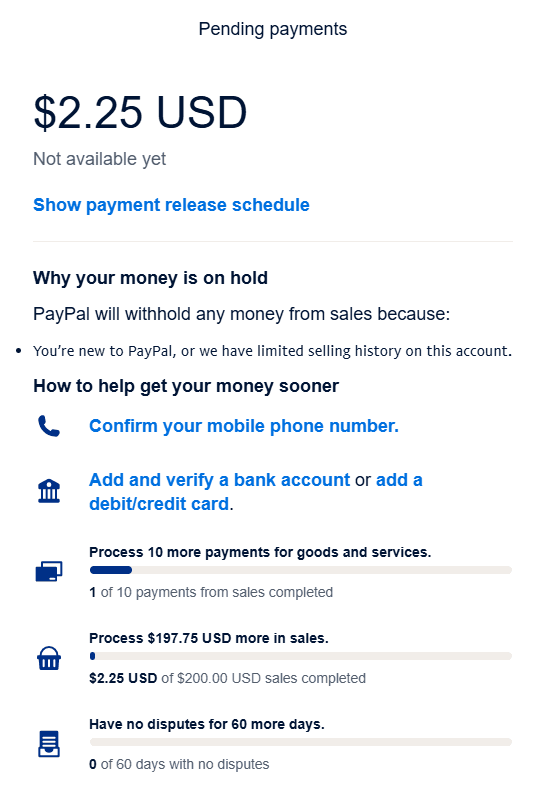
Once the account is live, do not rush it.
Start small. A small first transaction is better than dropping a big amount into a fresh account immediately.
New accounts often go through trust-building stages. If you move too fast, PayPal may ask for extra explanations or proof of the source of funds.
That does not always mean the account is finished. It usually means the account needs more trust data.
So build gradually. Start small, then grow step by step.
Step 9 — Link a Debit Card
Once the account is stable, link a debit card.
This helps strengthen the account and gives PayPal another layer of verification around your identity and payment profile.
Make sure the card details match properly and that the card has a small balance on it, since PayPal may charge a small amount during verification and refund it later.
It is also better to link a debit card before linking a bank account. If anything goes wrong, replacing a debit card is usually easier than dealing with bank-account issues.
Step 10 — Link a Bank Account
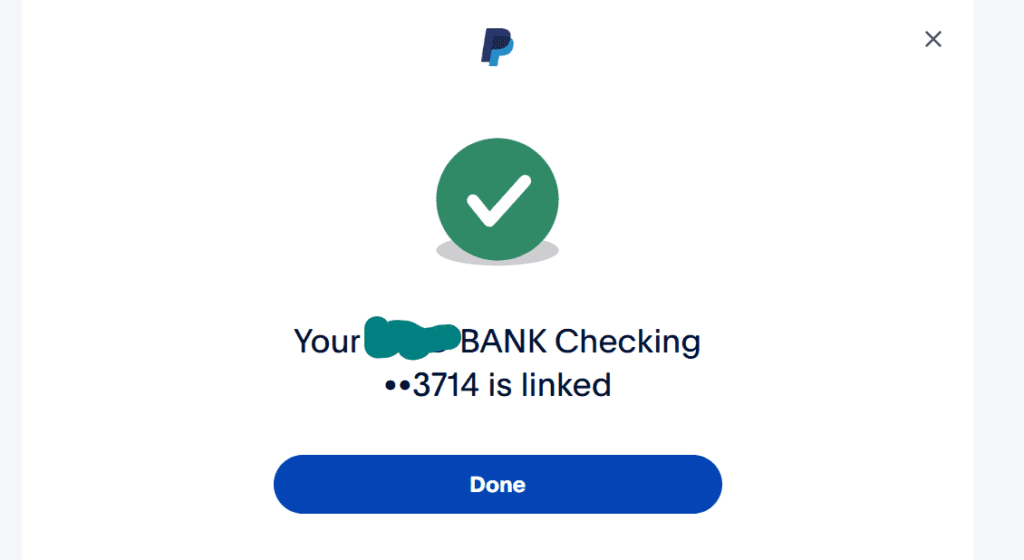
After your card is verified and the account looks stable, the next step is to link a bank account.
You can transfer money from PayPal to a linked bank account or eligible debit card, with instant transfers carrying a fee and standard transfers taking about 1 to 3 business days.
To link the bank, go to the relevant bank-linking section in your PayPal dashboard and enter the required bank details.
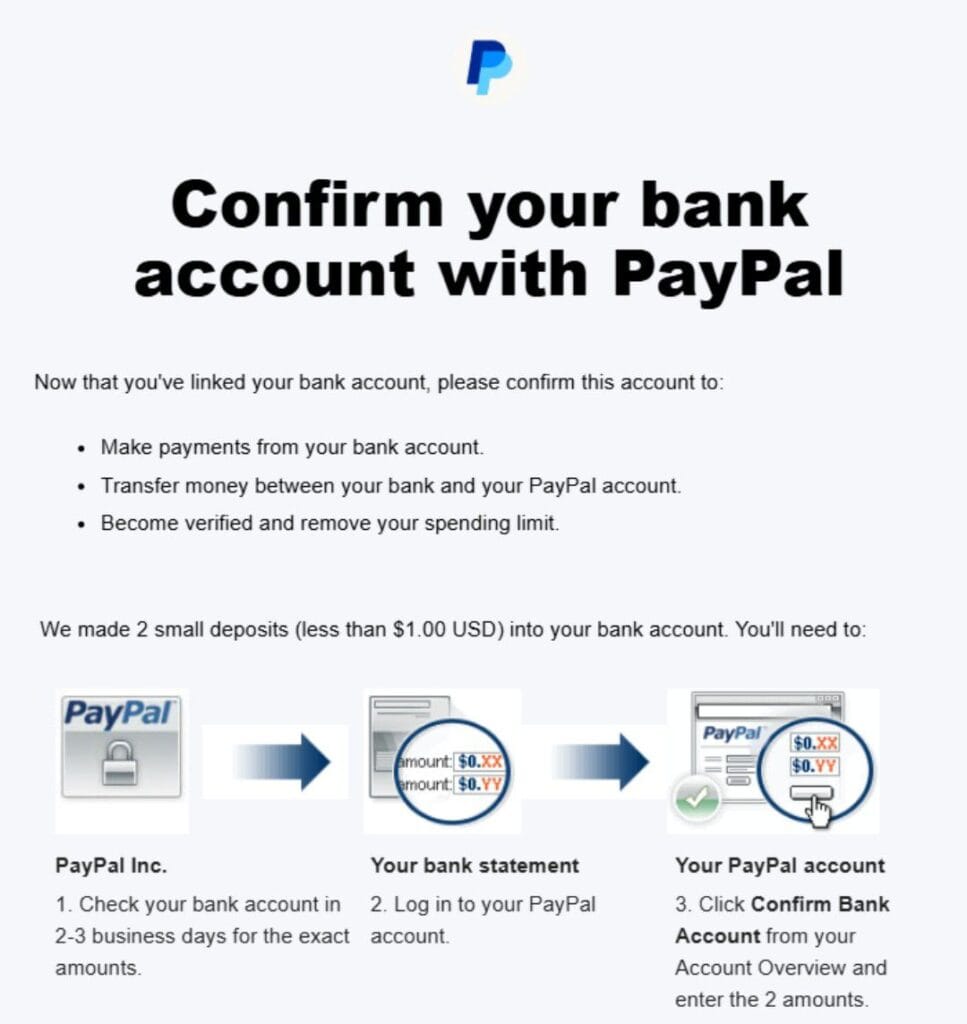
Depending on the bank, PayPal may send two small deposits for verification. Once you confirm those amounts, the bank is verified.
Once that is done, the account is better prepared for regular use.

The Perfect Way — Registering a Legal Business Entity Abroad
The free route can work well for many people, but the strongest route is still setting up a legal business entity abroad.
That is the option for people who want the highest level of long-term stability. If you want a setup that stands on a stronger foundation, this is the better path.
At SVZ Finance, this is one of the services we help with. We work with trusted partners to help users register a business abroad properly so they can build a stronger PayPal business setup on top of it.
This route is stronger for a simple reason. When the business is properly set up, the account stands on cleaner ground. That reduces the chances of problems later.
That is why we always advise people to use the proper route instead of following shortcuts.
Additional Services We Offer
We also offer other practical services around PayPal use.
One is our receive-for-you and send-for-you service. This helps people who still need to use PayPal even when they do not have a working account yet.
So if you need to receive money or make a payment through PayPal, we can handle that through our verified setup.
Learn more — How to use PayPal without an account.
We also provide three core options depending on what you need:
- Information package
This is for people who want to do it themselves and need the right guide. - Account creation guidance service
Here, we guide you during the setup so you enter the right details in the right way. - Registered business abroad
This is the strongest route for people who want a serious long-term structure.
Why This Works So Well
It works because PayPal business accounts are built for real business activity. PayPal says business accounts are designed to operate under a company name, accept payments, and use merchant tools.
Once the account is tied to a proper structure and the details are consistent, it stands on firmer ground for long-term use.
That is why this is the best thing to do if you want stability with PayPal.
FAQs About Using PayPal in Turkey
Can I use my Turkish phone number for PayPal?
If you are creating a normal Turkish PayPal account, the main issue is that PayPal does not operate locally in Turkey anymore.
But if you are creating a business PayPal account through another supported country, it is better not to use a Turkish number. Use a number that matches the setup properly so the account looks more consistent.
Can I send money from PayPal to a Turkish bank account?
Not from a normal local Turkish PayPal account. PayPal says customers in Turkey cannot access their accounts or withdraw to linked bank accounts there.
The practical route is usually to withdraw through the foreign bank account linked to your working PayPal setup, then move the funds from there.
If your goal is to cash out into lira, read our guide on withdrawing PayPal funds and exchanging to Turkish lira.
Can I receive money through PayPal in Turkey?
Not through a local Turkish PayPal account. PayPal says Turkey-based customers cannot receive money through those accounts.
But yes, you can still receive money if you are using a verified foreign business PayPal account that is set up properly. That is the route we explained in the solution section above.
Why did PayPal stop operating in Turkey?
PayPal stopped operating in Turkey after local authorities rejected its license application. That is the reason widely reported when the shutdown happened in 2016.
How do I withdraw money from PayPal in Turkey?
There are two practical ways people usually do this.
The first is to withdraw the funds through the foreign bank account linked to the working PayPal account.
The second is to use a PayPal exchange service.
That second route is what many people prefer because it is more direct. If that is what you need, check our guide on withdrawing PayPal funds and exchanging to Turkish lira.
What is the PayPal rate in Turkey?
There is no single fixed PayPal rate in Turkey.
What most people actually mean is the rate they will get when converting PayPal funds into Turkish lira.
That number changes depending on several things: PayPal fees, the currency involved, the withdrawal method, and the exchange provider handling the final payout.
So the real rate is the net rate after all charges.
How can I fund my PayPal account from Turkey?
You can fund a working PayPal account in two main ways.
One is by receiving money from someone into the account.
The second is through a PayPal top-up service.
At SVZ Finance, we help with this kind of payment support for users in restricted situations. So if you need to top up a PayPal balance from Turkey, we are here fo you.
What is the best PayPal alternative in Turkey?
Since PayPal is not available in Turkey, Grey and Payoneer are two alternatives worth considering for receiving international payments.
Wise can also be useful for international money transfers to Turkey, although some Wise account features are restricted for customers based in Turkey.
The best option depends on whether you need to receive payments, hold foreign currencies, or simply transfer money internationally.
SVZ Finance can also be considered as an alternative. We can act as an intermediary between you and the person, company, or platform trying to pay you. We can help you receive PayPal payments in Turkey (on your behalf) and send you the equivalent in lira.
How do I link a bank account to PayPal from Turkey?
To link a bank account, go to the bank-linking section in your PayPal dashboard, enter the required bank details, and complete the verification process if PayPal sends test deposits.
The important thing here is that the bank account must fit the working PayPal setup you are using.