RescueTime Review 2026: Is It Worth Using?
Many people do not know where their workday goes. They sit down to write, design, code, study, or handle client work, then realize hours have disappeared into email, social media and other irrelevant things.
RescueTime helps solve that problem by tracking your digital activity in the background. It shows how much time you spend on apps, websites, documents, meetings, and offline tasks, so you can understand your work habits and make better use of your day.
In this RescueTime review, we will look at what the tool does, who it is best for, its main features, pricing, pros and cons, and the best RescueTime alternatives.
What Is RescueTime?
RescueTime is an automatic time tracking and productivity tool. It runs in the background on your device and tracks the apps, websites, and documents you use during the day.
The platform has two main parts: RescueTime Focus and RescueTime Timesheets. Focus is built for personal productivity, goals, alerts, reports, and distraction blocking. Timesheets adds project, client, task, and billable time tracking.
Who Is RescueTime For?
RescueTime is useful for people who want to understand how they spend their time without starting and stopping timers all day.
Bloggers
Bloggers can use RescueTime to see how much time goes into writing, research, editing, publishing, and admin work.
Freelancers
Freelancers can use it to track work patterns and understand how much time different projects take. Those who need project reports may need RescueTime’s timesheet features.
Remote Workers
Remote workers can use RescueTime to protect deep work time, reduce distractions, and review weekly productivity patterns.
Digital Nomads
Digital nomads may find it useful because it tracks work across desktop, web, and mobile apps, depending on setup and permissions.
Agencies
Agencies can use team plans to review project time, team productivity reports, clients, tasks, billable rates, and work summaries.
Students
Students can use RescueTime to measure study time, block distracting websites, and set daily goals for school work.
Key Features
1. Automatic Time Tracking
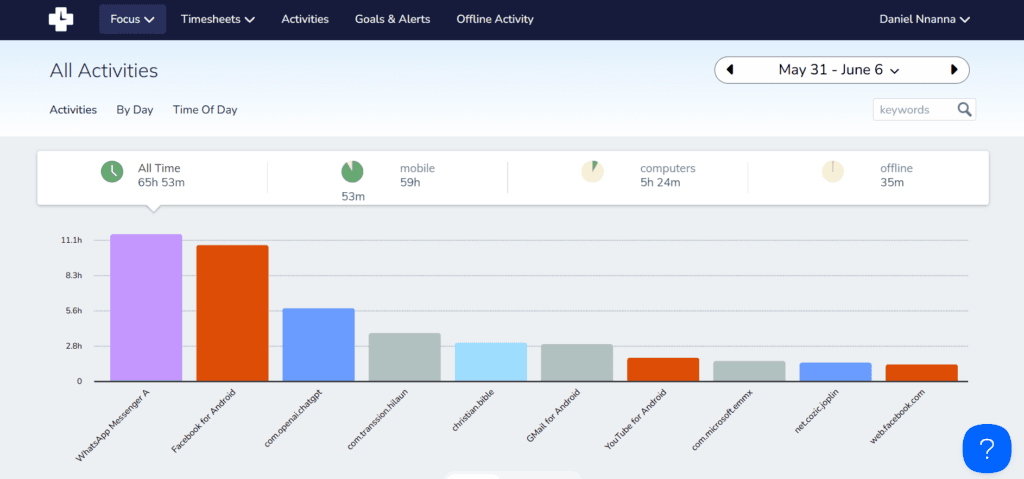
Automatic time tracking is the powerhouse of the RescueTime App. After installation, it runs in the background and tracks time spent on apps, websites, and documents.
This means you do not need to remember to start a timer. RescueTime records your activity while you work, then turns that data into many useful reports.
It tracks website usage, app usage, activity across web browsers, and desktop work. It also detects idle time and lets you pause tracking when you do not want certain activity recorded.
2. Productivity Categorization
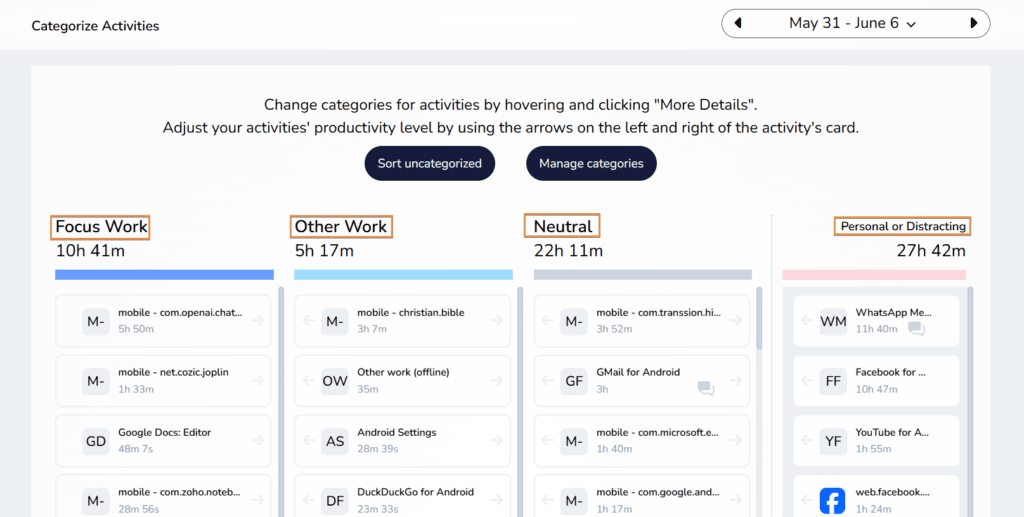
RescueTime organizes your activity into categories and productivity levels. This helps you see which parts of your day were productive, neutral, or distracting.
Reports can show activity by category, app, website, and productivity level. This is useful when you want more than a simple list of websites visited.
The downside is that RescueTime does not always understand context. For example, YouTube may be distracting during work, but it can also be useful for tutorials. You may need to adjust activity classifications so the reports match how you actually work.
3. Focus Sessions & Distraction Blocking
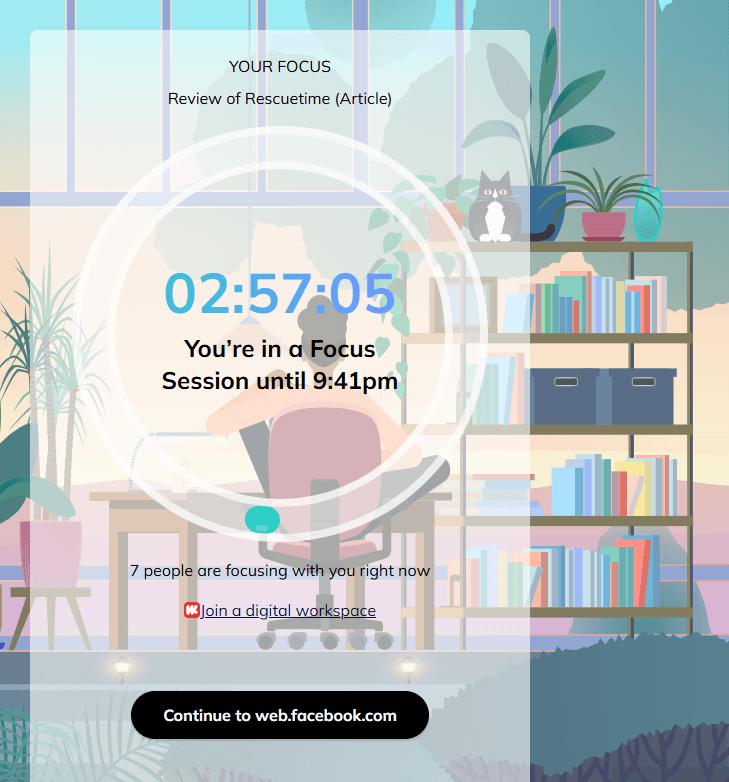
Focus Sessions help you block distracting apps and websites when you need uninterrupted work time.
This feature is useful for writers, students, remote workers, and anyone who gets pulled away by social media or email.
RescueTime’s blocking works well as part of its productivity system.
4. Goals & Productivity Alerts
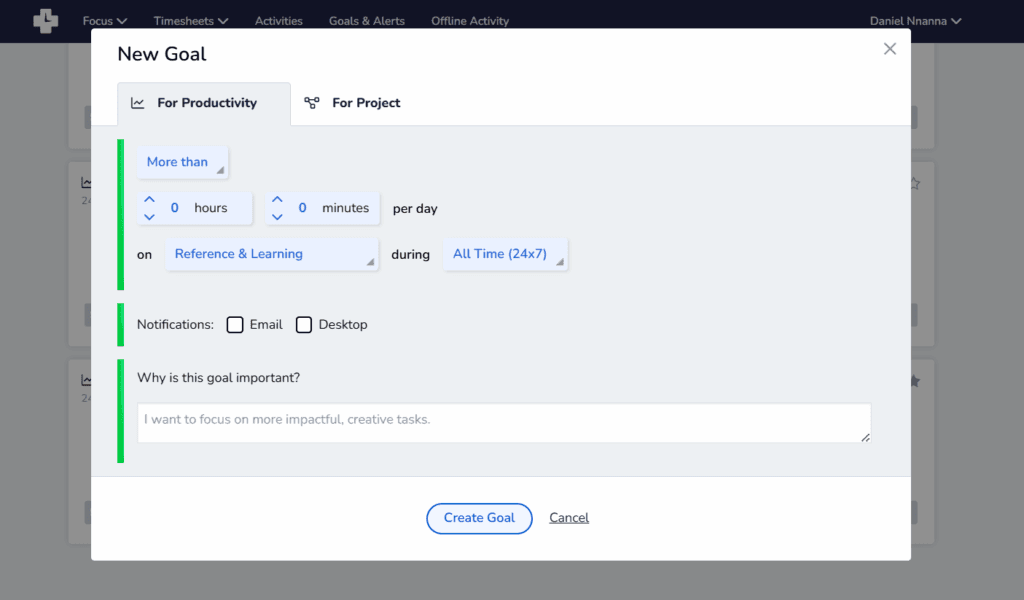
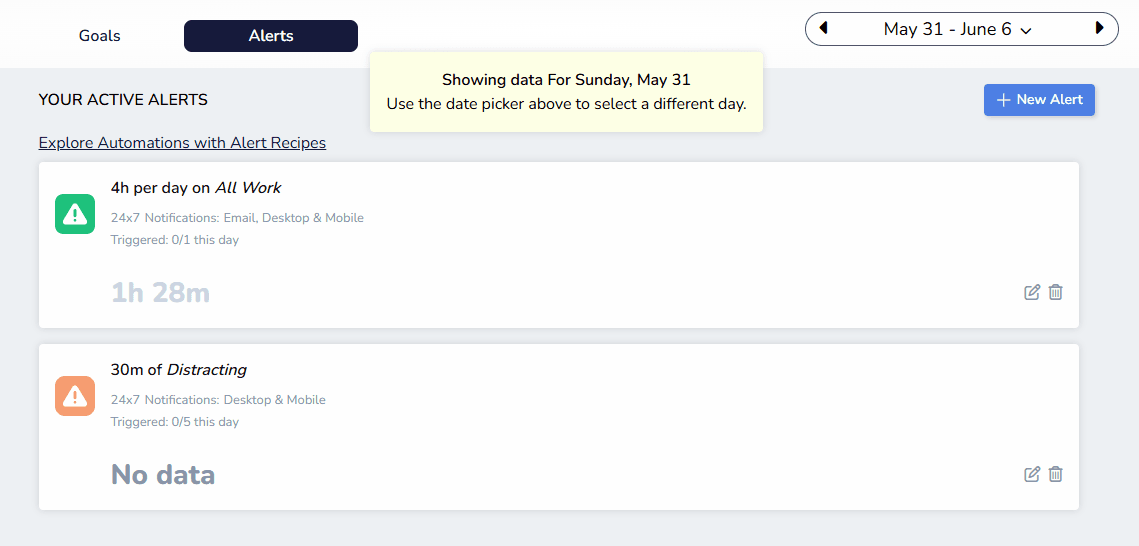
RescueTime lets you set goals and receive alerts when your habits move away from your target.
This helps when you want a simple warning before your day goes off track. Instead of checking reports only after work, alerts can guide you while you are still working.
Goals are useful for people who want to spend more time writing, studying, coding, designing, or doing client work.
5. Reports & Insights
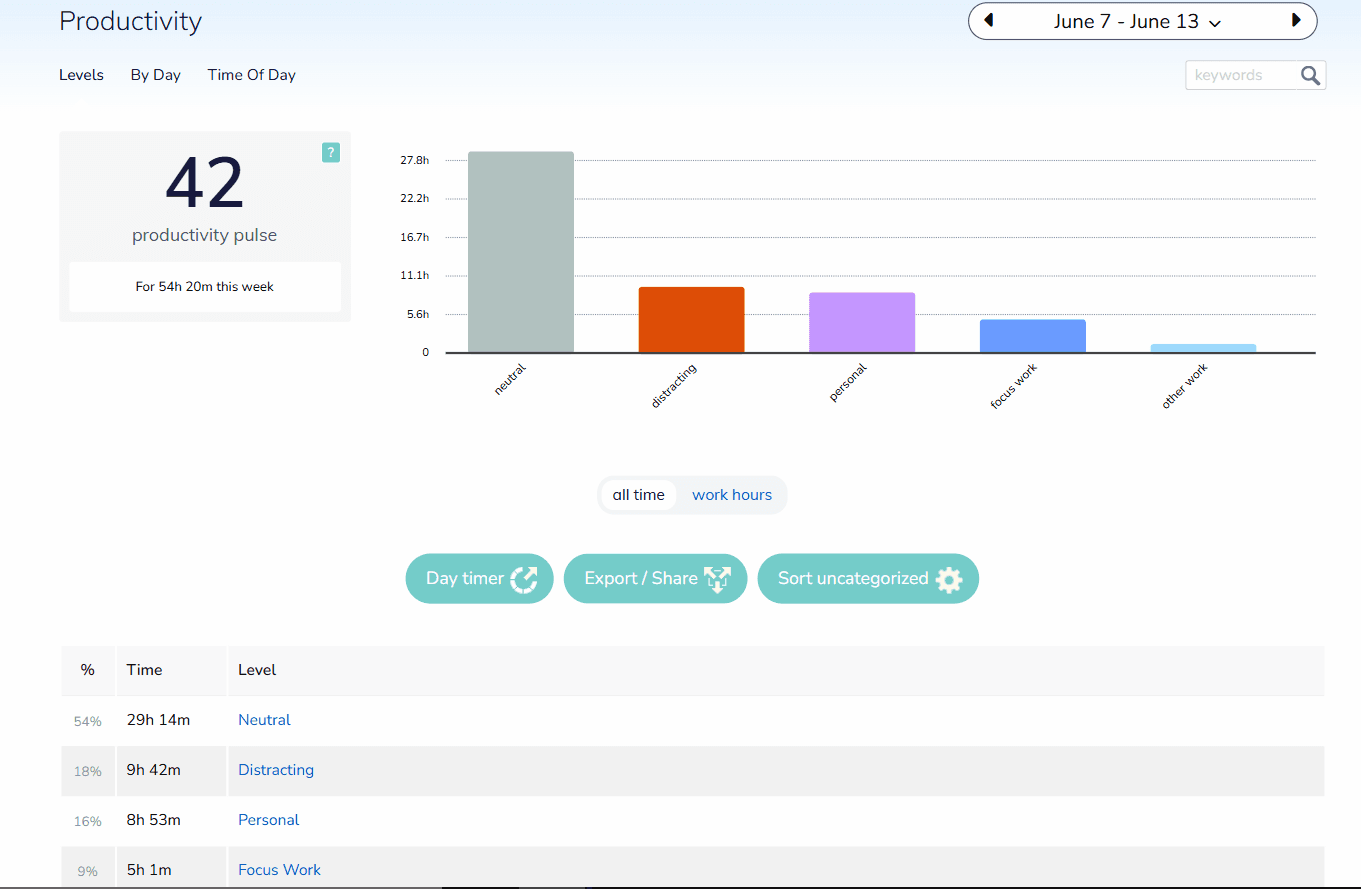
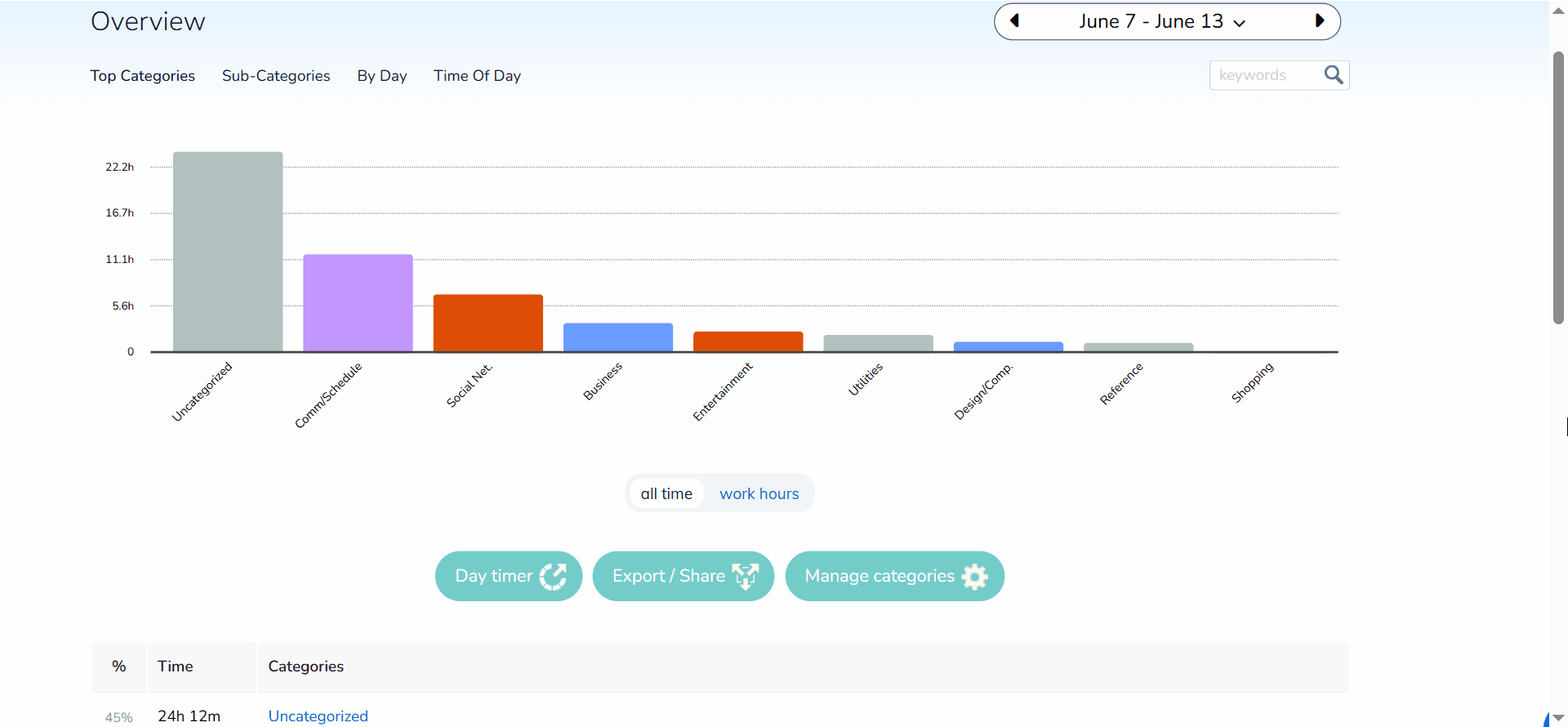
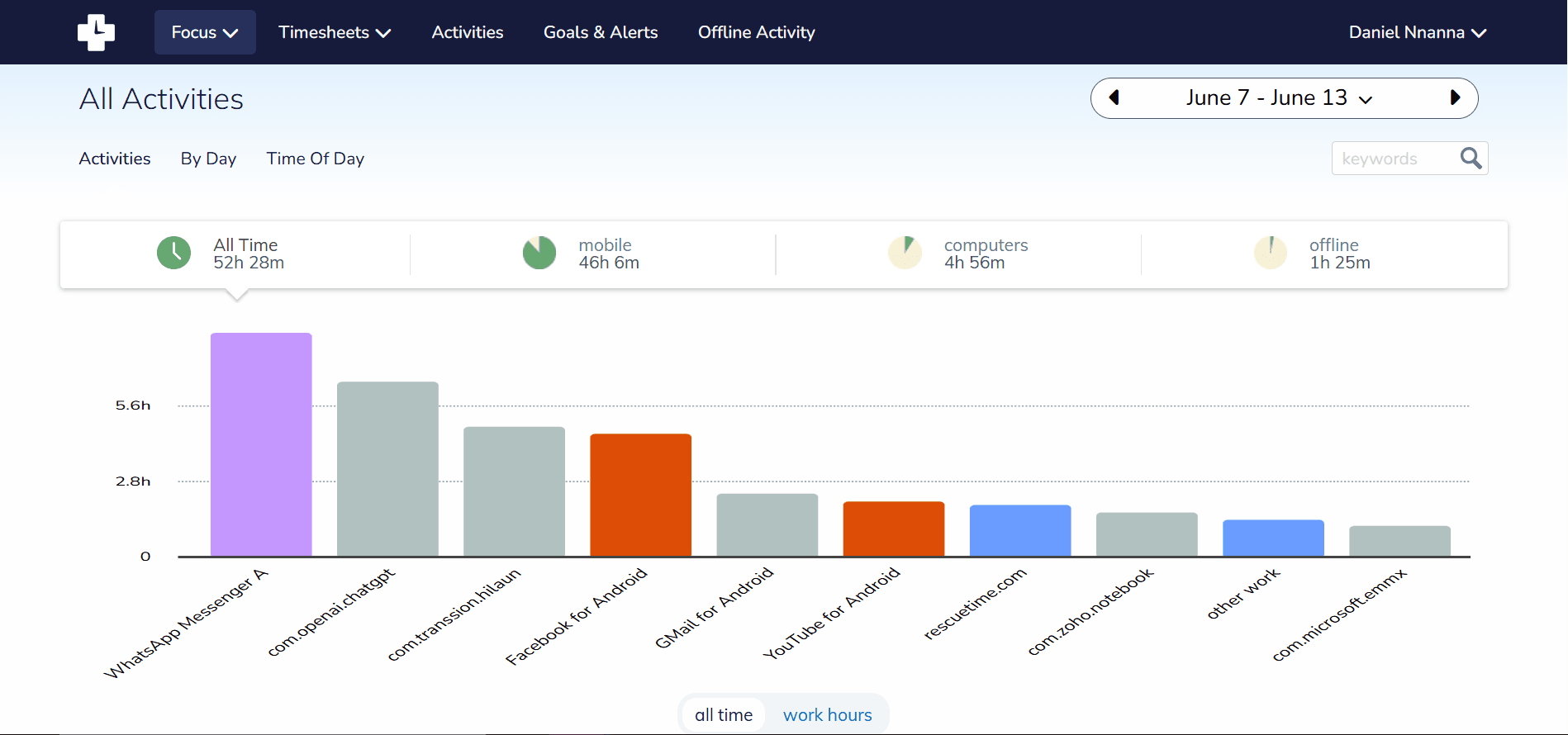
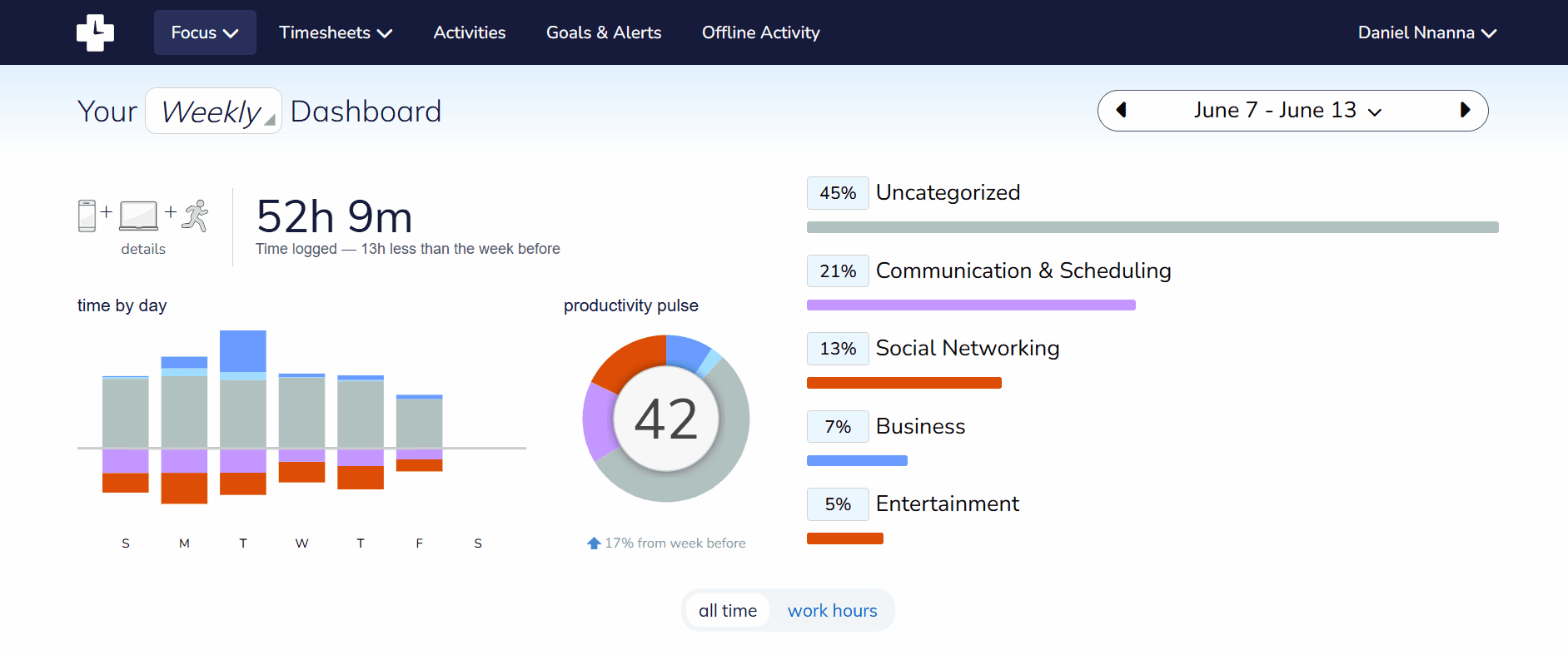
Reports are one of RescueTime’s strongest features. The tool can show productivity reports, category reports, detailed activity reports, weekly summaries, and long term report history depending on your plan.
Daily reports help you review what happened today. Weekly reports give you a better view of patterns, such as your most productive days or your biggest distractions.
This is where RescueTime works better than a simple timer. It does not only tell you that you worked for five hours. It shows what those hours were made of.
6. Project & Timesheet Tracking
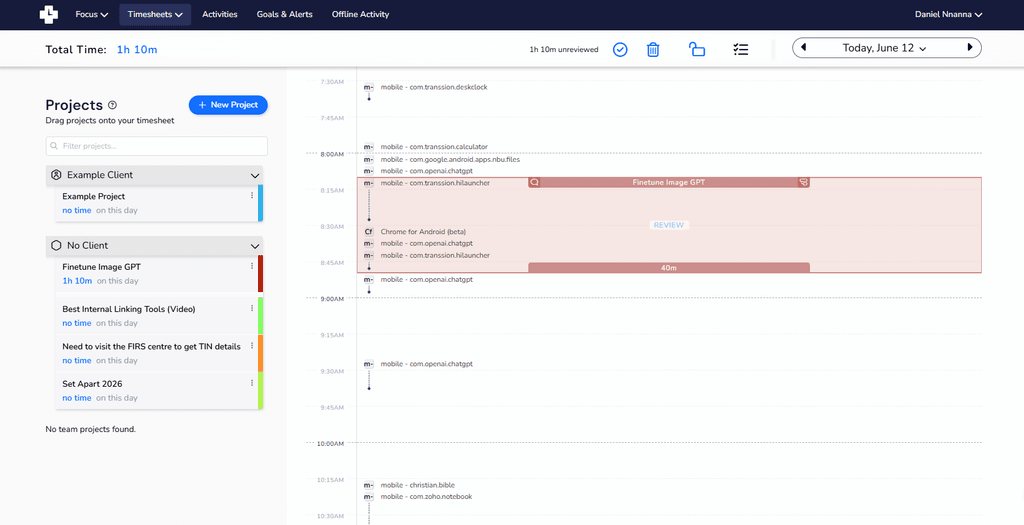
RescueTime Timesheets adds project, client, task, billable time, and report features. This is useful for freelancers, consultants, and agencies that need work summaries for clients or internal review.
You can organize time by project, client, or task. RescueTime also supports reports filtered by billable hours, reviewed time, client, task, project, and date range.
The project tracking is useful, but it may not replace a full project management tool.
7. Offline Time Tracking
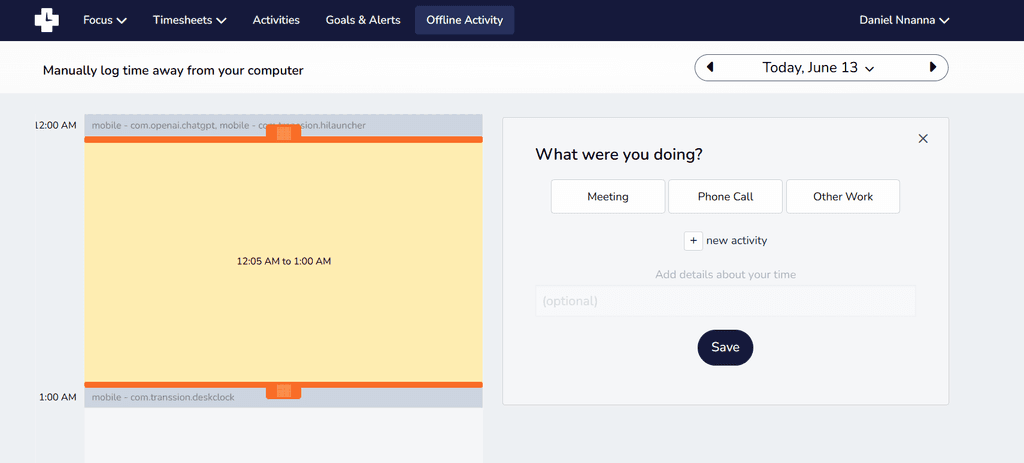
RescueTime can log offline work such as meetings, calls, brainstorming sessions, and other activities away from the computer.
This matters because many workdays are not fully digital. Meetings, phone calls, planning sessions, and breaks can affect your schedule.
With offline tracking, RescueTime gives a more complete picture of your day.
8. Integrations
RescueTime supports integrations with tools such as Slack, Trello, Asana, GitHub, Google Calendar, and Outlook Calendar.
These integrations are helpful if your workday already depends on meetings, project tools, or team communication.
RescueTime Pricing
RescueTime offers individual and team plans. Its pricing depends on whether you need only productivity tracking or both productivity tracking and timesheets.
The Solo Focus plan is built for individual productivity. The Solo+ plan adds timesheet features for people who need project and client tracking.
Team plans are available for businesses that want shared reporting, team productivity views, and project time tracking.
Pricing can change, so it is best to check the official RescueTime pricing page before subscribing.
RescueTime Pros and Cons
Pros
Accurate Automatic Tracking
RescueTime is strong at background tracking. You can install it, work normally, and review your data later without managing timers all day.
Detailed Reports
The reports are useful for spotting patterns in your work habits. You can review apps, websites, categories, productivity levels, and trends over time.
Useful Focus Sessions
Focus Sessions make RescueTime more than a reporting tool. They help you protect work time when distractions start taking over.
Easy Setup
The tool is simple to start using. Once the app is installed, it begins collecting activity data in the background.
Cons
Limited Project Tracking
RescueTime Timesheets is useful, but it may not be enough for teams that need advanced project management, invoicing, approvals, or budgeting.
Limited Customization
You can adjust classifications, but RescueTime may still need manual correction when the same app or website serves different purposes.
Does Not Always Understand Work Context
Automatic tracking can miss the reason behind an activity. A website that looks distracting may actually be part of research, learning, or client work.
RescueTime Alternatives
Rize
Rize is an automatic time tracking tool for people who want background tracking with less manual timesheet work.
Choose Rize if you want a modern automatic tracker built around billable work.
Timely
Timely is built around automatic time tracking for teams, consultancies, and agencies.
Choose Timely if you need automatic time tracking for client work across a team.
Toggl Track
Toggl Track is a popular time tracking tool with manual, timer based, and automated tracking options.
Choose Toggl Track if you want a flexible time tracker for projects, clients, and reports.
Clockify
Clockify is a time tracker and timesheet app for tracking work hours across projects.
Choose Clockify if you want a time tracking tool with a generous free plan and stronger team time management features.
Is RescueTime Worth It?
RescueTime is worth it if you want automatic time tracking, productivity reports, goals, alerts, and Focus Sessions in one tool. It is especially useful if you do not like manual timers.
It is also a good fit for people who want to understand their daily habits. Bloggers, freelancers, remote workers, students, and digital nomads can use it to see where time is going and make better decisions.
RescueTime may not be the best choice if your main need is strict app blocking, detailed project billing, or full team project management. In those cases, Timely, Toggl Track, or Clockify may serve you better.
Final Verdict
RescueTime is a strong productivity tool for people who want to track time without extra work. Its automatic tracking, reports, goals, and Focus Sessions make it useful for improving daily work habits.
Its main weakness is context. It can show what you did, but you may still need to correct categories and explain the reason behind some activities.
Overall, RescueTime is best for individuals and small teams that want better visibility into their time. If you want a simple way to understand your workday and reduce distractions, RescueTime gets you covered.
>>> Try Rescuetime free (through a creator's link 🤑)
Please do use our referral link. You get premium access for free plus potential bonus.