one sec Review: Can It Actually Help You Stop Social Media Addiction?
Ever worried about how addicted you are to social media? The amount of time you spend there, and how sometimes it feels like the screen controls you more than you control yourself?
If you are experiencing this, you are not alone.
Social media apps are built to keep you scrolling. The longer they can get you to stay, the more money they make. So, naturally, they always want you to spend more time on their platforms.
But time is one of the most precious things you have. Once you lose it, you cannot recover it. Therefore, protecting your time is important.
What one sec Is All About
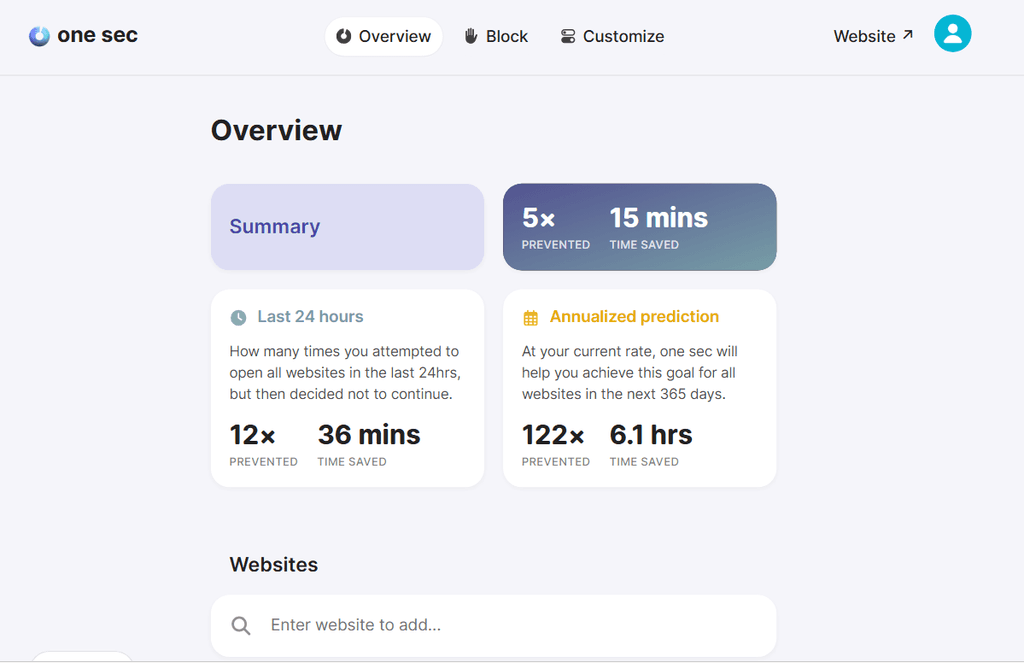
one sec is an application created by Frederik Riedel.
According to Frederik, he originally built one sec for himself. During the first COVID lockdown in Germany in 2020, he noticed that he was spending too much time on his phone, especially on Instagram, and wanted to do something about it. Eventually, he decided to share the app with the world.
one sec is basically a powerful app that helps you take control of social media instead of letting social media control you.
The tool offers a bunch of features that can help you tackle different kinds of distractions.
For instance, you can tackle in-app distractions like short-form videos and stories.
Let’s say you use YouTube for learning, but whenever you open it, you easily get carried away by YouTube Shorts. You cannot simply get rid of YouTube because you still need it for learning.
With one sec, you can block those distracting parts while still being able to use the app for what you actually came there to do.
And that is just one example.
one sec offers many other useful features. Let’s explore them.
one sec Features
Block Apps Manually
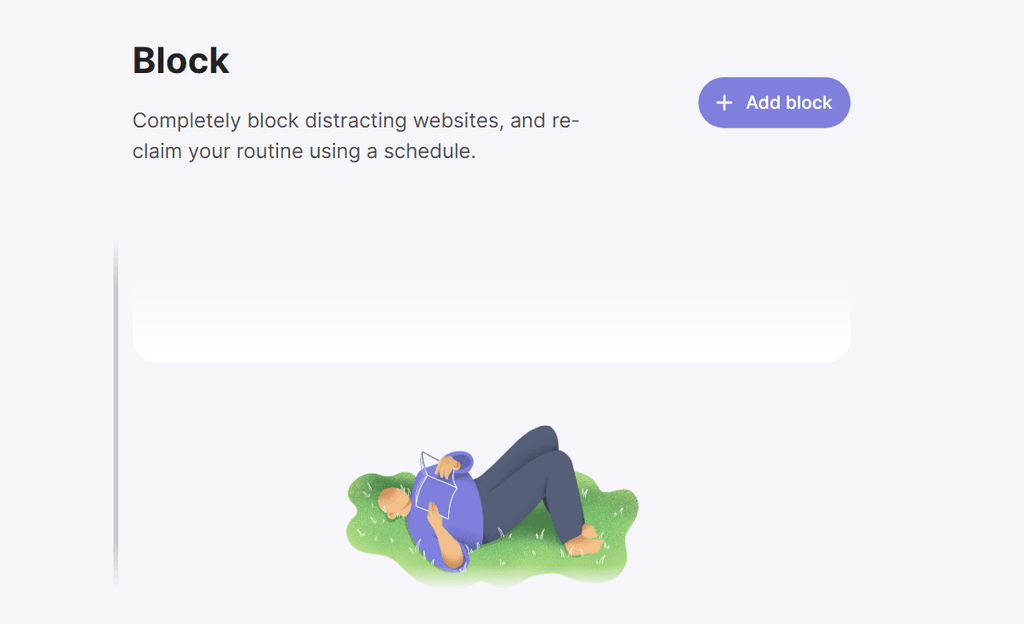
This is obviously the most basic feature, but it is powerful.
It lets you block certain apps or websites immediately whenever you need to focus.
You can also group your apps and websites into different categories. So, whenever you want to focus on one particular category, you can manually turn on blocking for the other categories of apps and websites.
It also offers a Strict Mode.
This prevents you from simply turning off a block you have already set.
Because normally, if you are my kind, and your addiction has reached the level where you are ready to get rid of the app the moment it starts doing exactly what you asked it to do, you may end up turning off the block or even uninstalling the app.
That is why this is such a useful feature.
Overall, the Block Apps Manually feature in one sec can help you stay focused when you know you need to avoid certain apps or websites.
Block Apps on Schedule
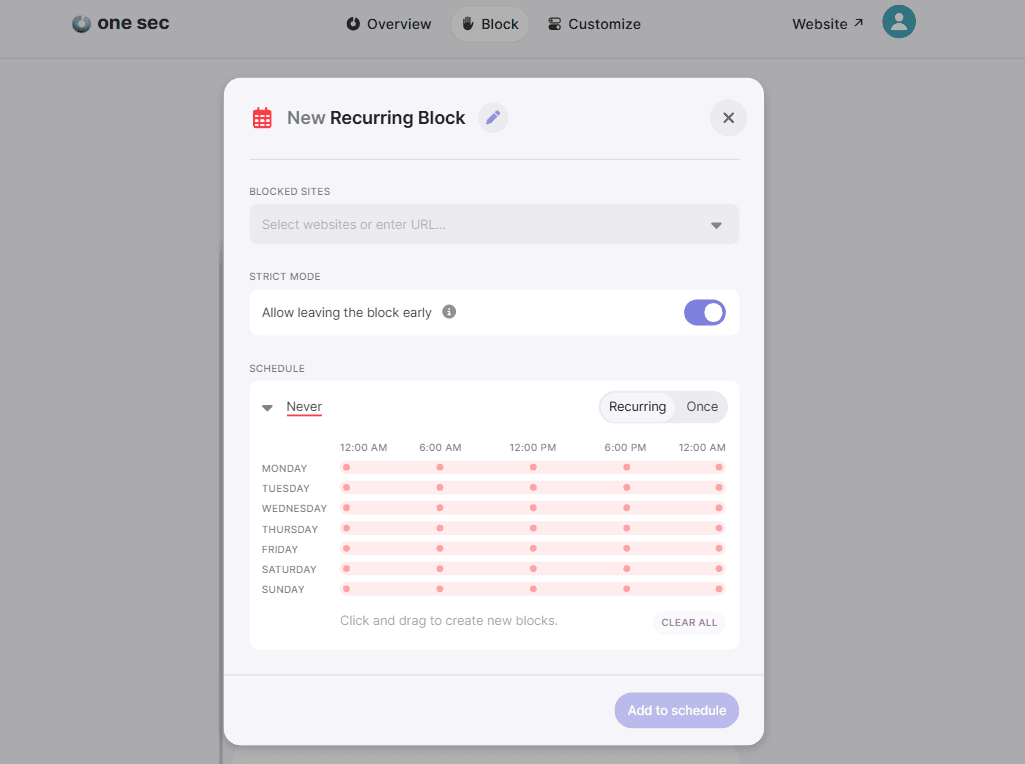
This takes things to another level.
You do not need to keep manually turning blocks on because there are days when you will forget, and doing it every time can also become tiring.
With this feature, you can schedule when certain apps or websites should be blocked.
You simply set the days and times you want the block to be active. When that time arrives, one sec will prevent you from using the selected app or website.
Of course, Strict Mode is available here too, which makes it harder for you to simply disable the block when temptation comes.
Limits on the Go
This is another feature that tackles distraction differently.
Instead of fully blocking an app or website, one sec asks you how much time you want to spend using it for that particular session.
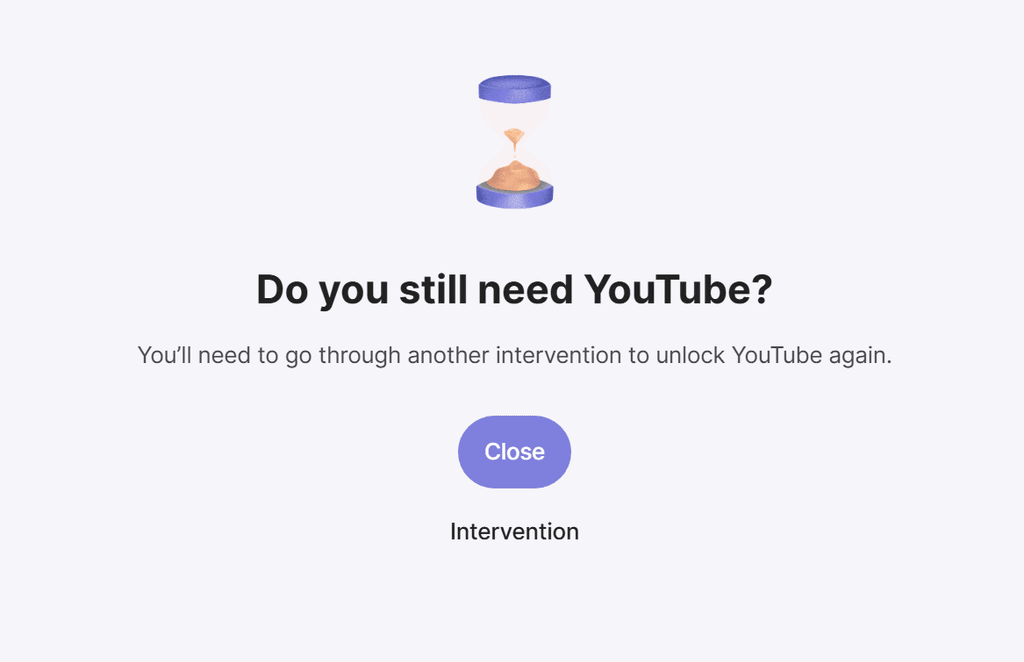
Once you select the amount of time, you can go ahead and use the app normally. When the time you set is reached, one sec will step in and show you a pop-up reminding you that you have exceeded your limit.
one sec gives you a lot of flexibility here.
For instance, it offers several intervention types. This means you can choose what appears on your screen whenever you reach the limit you set for an app or website during that session.
Normally, if you still want to continue using the app after reaching your limit, you will need to go through another intervention before you can resume.
One example is the typing intervention. You can choose this as your intervention type, and when you hit your limit, one sec will show you some random text that you need to type before you can continue.
There is also the basic Breathe intervention, which is the default option.
Block In-App Distractions Like Short-Form Videos and Stories
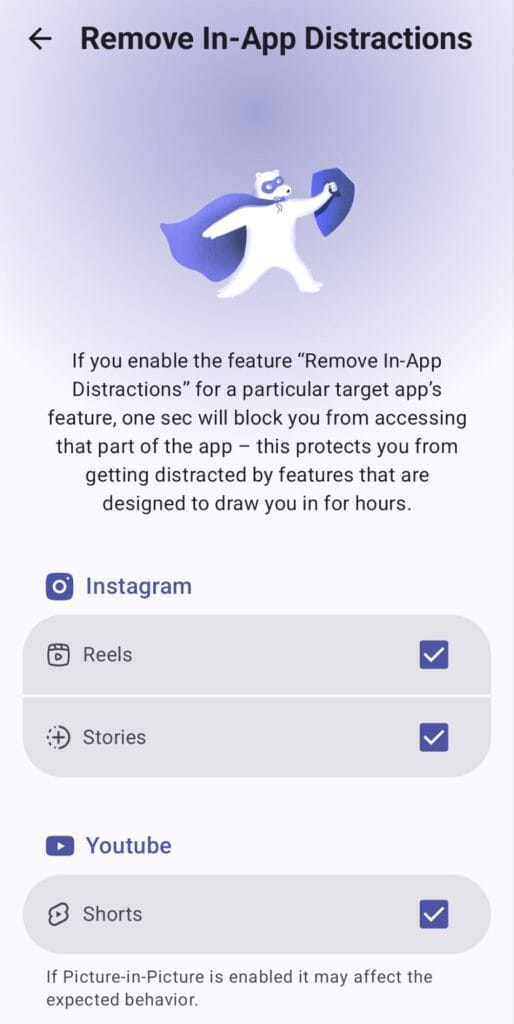
This is the feature that I loved the most out of all the other ones because the use case suits me.
It tackles distraction in another way. Instead of blocking the entire app, you can block the distracting parts inside it, like Reels, Shorts, Stories, and similar content.
Therefore, you can still use YouTube without getting lost in Shorts.
You can use WhatsApp without getting addicted to checking Status or Channels.
You can continue to use Instagram while still being able to block Reels and Stories, and the same idea applies to other supported social media platforms.
For me, this makes a lot of sense because sometimes the app itself is not the problem. It is one particular feature inside the app that keeps pulling you in.
Additional Feature: Block Adult Content
This is an additional feature. So, like we said, it is not really part of the main one sec features we have been discussing, but I still think it is worth mentioning.
one sec calls this feature Adult Content Detox.
It can block adult websites across web browsers and web views on your device. It comes with a large list of adult websites that are blocked by default, and you can also add custom websites yourself.
There is also an option to lock the feature. This is important because you could otherwise go back into the settings and turn the blocker off.
The feature is available on both iOS and Android and works across major browsers.
I have not personally tested this particular feature, so I cannot speak from experience about how effective it is. But it can still be useful for someone who wants another layer of restriction against accessing adult content online.
Conclusion
Social media is not going anywhere, and for most of us, getting rid of these apps completely is not even realistic.
The better option is to control how you use them.
That is what one sec helps you do. You can block apps completely, schedule blocks ahead of time, set limits for individual sessions, or simply remove the distracting parts of an app while keeping the useful ones.
For me, that last part is especially useful. I do not want to stop using YouTube just because Shorts can be distracting. I would rather keep YouTube for what I need and remove the part that wastes my time.
And that is really what I like about one sec. It gives you different ways to deal with distraction instead of forcing everyone into the same approach.
If you want to try it yourself, you can use my link to get one month of one sec for free. That gives you enough time to test the features properly and see whether it actually helps you take back control of your screen time.
>>> Start your free month with one sec using my link here.
Frequently Asked Questions About one sec
Is one sec free to use?
Yes, one sec has a free version that lets you set up an intervention for one app or website. However, if you want to use it with multiple apps or access more advanced features, you will need one sec Pro.
You can also start with a one-week free trial of Pro. If you sign up using my link, you can get one month of free access instead.
Does one sec work on Android and iPhone?
Yes, one sec is available on both Android and iPhone. However, not all features are available on both platforms.
For instance, the feature that lets you block in-app distractions like YouTube Shorts and Instagram Reels is currently available on Android, but not on iPhone.
Can I use one sec without completely blocking social media?
Yes. You do not have to block social media completely to use one sec.
You can set up interventions that make you pause before opening an app. You can also limit how long you spend on it during a particular session.
This way, you can still use social media, but with more control over your time.
Can one sec block YouTube Shorts without blocking YouTube?
Yes, on Android, one sec can block YouTube Shorts while allowing you to continue using the rest of YouTube.
This is especially useful if you use YouTube for learning but often get distracted by Shorts.
Can I prevent myself from turning off one sec's app blocks?
Yes. one sec offers Strict Mode, which prevents you from pausing or ending an active block before the scheduled time is over.
This can be useful if you often find yourself turning off restrictions you have already set.
Can I use one sec on my computer?
Yes. one sec has browser extensions that work with Chrome, Firefox, Safari, Edge, and other supported browsers.
You can use these extensions to reduce distractions from websites while working or studying on your computer.
Does one sec block adult websites?
Yes. one sec has an Adult Content Detox feature that blocks access to adult websites across supported browsers.
You can also add custom websites and lock the feature to make it harder to disable.
Is one sec worth trying?
If you often find yourself opening social media without thinking or spending more time there than you planned, one sec is worth trying.
It gives you different ways to manage distractions without necessarily giving up the apps you still need.
You can start with the free version to see how it works. And if you want to explore more features, you can use my link to get one month of free access.