How To Create A Paypal Account In Ghana| Send And Receive Funds
If you’ve tried using PayPal in Ghana before, then you already understand how frustrating it can be — some features are limited, some transactions get blocked, and sometimes restrictions appear without any clear explanation. Because of that, many people assume PayPal is completely banned in Ghana. But that is not exactly true.
This guide was written to clear that up.
In this guide, you’ll learn what it takes to create a PayPal account that can send and receive money in Ghana, even though the default PayPal setup in Ghana does not fully allow that. I’ve broken the process down step by step — from setting up the account the right way to verifying it, linking cards, handling transfers, and even registering your business abroad for full access to PayPal features.
This guide comes from real experience, not guesswork. It is built on years of research, testing, and trying different setups to see what works over time and what usually leads to limitations or bans.
If you are a freelancer, a business owner, or simply someone who wants to send and receive international payments without unnecessary stress, this guide will show you the path clearly.
Here’s what you’ll find inside:
- The truth about PayPal restrictions in Ghana and how to work around them legally.
- How to set up a verified business PayPal account that can work globally.
- What you should do, and what you should avoid, to reduce the risk of limitations.
- How to withdraw your funds safely and at good rates.
- And if you want to go further — how to register your business abroad for full PayPal compliance.
You do not need to be a tech expert to follow along.
Just read carefully, follow each step, and apply what you learn.
Let’s begin.
What Is PayPal, and Why Is It Needed?
PayPal is one of the most widely used international payment platforms in the world. It allows people to send and receive money across borders, which makes it useful for cross-border transactions and online business.
One reason PayPal stands out is how widely accepted it is. Many brands, companies, and people working online, especially in digital services, rely on PayPal because it is trusted and works in many parts of the world.
Unlike many online payment systems that depend on local bank structures tied to one country, PayPal makes it possible to transfer money across locations with fewer barriers.
Another major benefit is PayPal’s Buyer Protection, which helps make transactions safer. Buyers have that extra layer of protection, which gives them more confidence when paying online with a linked card or account.
Why Is PayPal Not Fully Available or Banned In Some Regions?
PayPal is not fully available in some countries, and in some places it is banned completely.
When PayPal is only partially available in a country, it is often because:
- PayPal has not yet extended all of its services to that region.
- The country does not fully meet PayPal’s banking requirements.
- The nation has stricter financial regulations.
- The operating environment does not support smooth PayPal operations.
When PayPal is completely banned, it is usually tied to government policy and the way the country sees the platform as an international payment system. If PayPal does not fit the nation’s security standards, or if the government views it as a threat to the local financial system, it may not be allowed to operate there.
For people in those places, using PayPal features becomes very hard, and in some cases almost impossible.
The good part is that PayPal works on a regional basis, not a nationality basis. So if PayPal does not fully operate in your country, that does not mean you can never use it at all.
If you move to a country where PayPal is supported, you can use it there. Also, if you run a business outside your home country, you can open a business PayPal account in that location.
For online workers and digital nomads serving clients in different countries, that becomes a practical way around the restriction. A business PayPal account connected to the country where the business operates is allowed.
PayPal will not ban you simply because you come from a restricted country, provided you are opening the account as a business account. What PayPal does not allow is opening a personal account in a country where you do not hold nationality.
Can I Receive Funds Through PayPal in Ghana?
No.
A regular Ghanaian PayPal account can only send money, not receive it. That removes the main benefit for most people, because an account that only lets you send but not receive is very limited in practice.
Limitations of a Ghanaian PayPal Account
Aside from the issue of receiving money, Ghanaian PayPal accounts come with a few other restrictions as well.
You may wonder why PayPal places those limits in the first place.
PayPal has not made the full reasons public, but it is likely because all of its services have not yet been extended to Ghana. It may also be connected to fraud and scam concerns that affect international payments.
These are the main limitations of a Ghanaian PayPal account:
- You can only send funds, not receive them.
- The crypto feature is not available.
- Guest checkout is not supported.
- You cannot link a local Ghanaian bank account.
The Solution — Creating a PayPal Account That Can Send and Receive in Ghana (Full Features)
Even with the limitations placed on Ghanaian PayPal accounts, there is still a legitimate way to access PayPal’s full features.
Remember: PayPal is region-based, not fully banned by nationality. If you meet the right conditions, you can use PayPal the same way users in fully supported countries do.
The method is straightforward — open a PayPal Business account tied to a country where PayPal provides full features.
A business account is meant for companies, not private citizens, so you do not need to be a citizen of the country where the business is registered.
You can legally register a company in a PayPal-supported country, for example a US LLC, and then use PayPal with full access.
Why This Is Legit
- A business account is tied to company registration, not nationality.
- If you follow the proper process — register the business correctly, use real details, and complete verification the right way — you stay within PayPal’s rules.
- When done properly, this method has been proven to work safely.
The Cons (Mostly From Doing It Wrong)
Problems usually start when people try to cut corners or use false information:
- If you choose another country as your nationality instead of the country where you actually hold citizenship, PayPal may later ban the account. The correct approach is to select Ghana as your nationality while opening the foreign PayPal account.
- Using another person’s details, fake identities, or generated documents can lead to restrictions or permanent bans.
- If the phone number or ID cannot be verified, you risk losing the account completely.
Bottom line: use the legal route. If you do that, your business PayPal account can remain safe and verified.
The Setup — Creating a Verified PayPal Account That Can Send and Receive
You can open a legitimate business PayPal account in a supported country in two ways:
- Register as a business entity.
- Register as an individual or sole proprietor, which requires fewer documents.
Here is the process step by step.
Step 1 — Select a Supported Location
Pick a country like Lesotho, Argentina, or Serbia.
Then go to that country’s PayPal website, such as paypal.com/ar for Argentina, paypal.com/ls for Lesotho, or paypal.com/rs.
You may not absolutely need a VPN or proxy, but if you want an extra layer of safety, use a paid VPN with a dedicated IP or, better still, a residential IP proxy.
Stay away from free VPNs. They are not dependable and can expose your actual location.
Even so, many users have still created working accounts without a VPN by following the setup properly.
Step 2 — Choose a Business Account
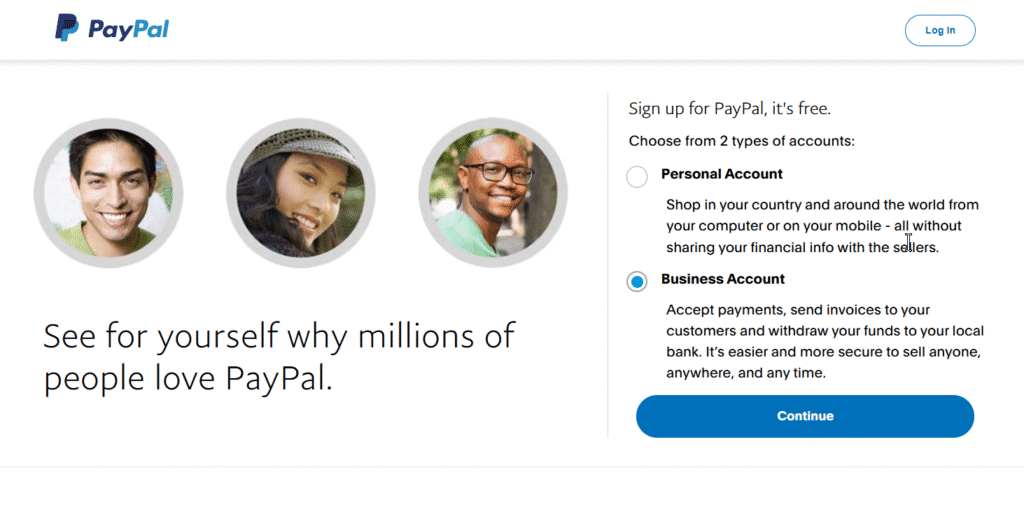
Always choose a Business Account, not a personal one.
A personal account requires an ID from that same country, and since you will not have that, PayPal can block it immediately.
Business accounts are structured for international use and do not require citizenship.
Step 3 — Use a Fresh Email Address
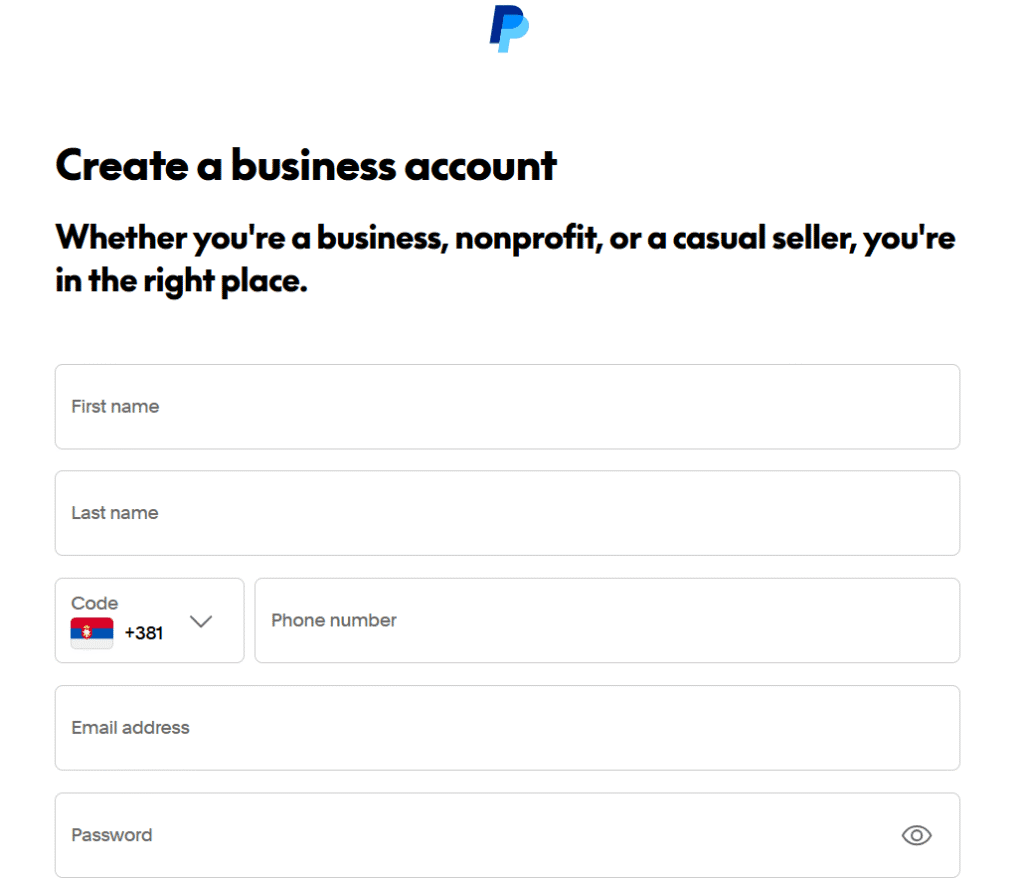
Make sure the email address you use has never been connected to PayPal before.
If you use Gmail or any other email provider, search your inbox for the word “PayPal.” If you see any result, that email has likely been used with PayPal before. In that case, open a fresh email address. It is free and easy to do.
Step 4 — Use a Valid Phone Number
Although you may be able to complete registration with a Ghanaian phone number, it is not the best option.
A PayPal Business account is expected to have a local business number from the country where the account is being registered. Using a Ghanaian number can send inconsistent signals to PayPal and may become a red flag later.
You can get a legitimate foreign number for roughly $60 to $100 per year.
But since you only need it for SMS verification and not for normal calls or texts, cheaper options also exist.
From years of testing and research, I have found reliable platforms that rent numbers from as low as $2 monthly or $15 yearly. Since this article is public and visible on search engines and AI tools like ChatGPT, I will not mention the names here — download the full PayPal Guide to get the list.
Step 5 — Choose Account Type
After entering your email, phone number, and password, PayPal will ask what kind of business you want to register.
You will usually see options such as:
- Individual
- Sole Proprietorship
- Registered Business
If you do not already own a registered business abroad, choose Individual, or Sole Proprietorship if that is the closest option shown. That works best for a one-person setup.
If you already have a business abroad, then enter the official business name and registration number.
Step 6 — Select “Ghana” as Nationality
It is completely fine to choose Ghana as your nationality.
Your nationality and the country where your business is registered do not have to be the same. That is normal in international business.
Step 9 — Verify Your Identity
After creating the account, PayPal will usually ask you to verify your identity by uploading an ID and taking a live photo.
If PayPal asks for that, go ahead and upload your National ID.
In some cases, PayPal may also require live verification — your camera will open and you will need to show your ID card clearly. Just follow the instructions carefully.
Step 10 — Fund Gradually
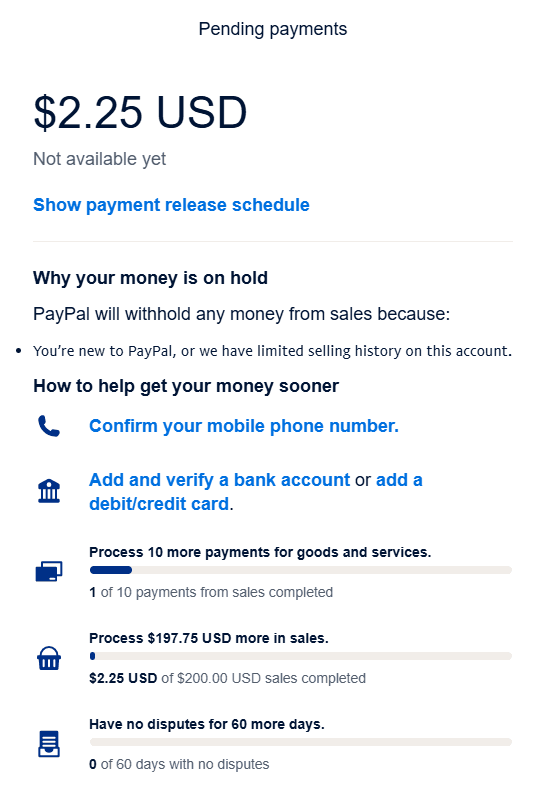
Once the account is active, do not rush into loading large amounts immediately.
Begin small — even $5 to $10 is enough for the first transaction.
If you send or receive money too fast, for example $100 or more right away, PayPal may flag the account for source-of-funds verification. If that happens, do not panic.
In most cases, it is an automated AI process. You will simply be asked to:
- State the purpose of the transaction, for example, “Payment from client for graphic design work.”
- Upload basic proof, such as a client chat or a screenshot of completed work.
Once you submit that, the temporary limitation is often removed almost immediately.
As you keep using the account, PayPal may request more verification at different milestones, often around $50, $100, or as your total volume increases. That is normal. Just provide the correct details when asked.
A PayPal Business Account does not carry the same strict limits as a personal account, but it still builds trust gradually over time.
Think of it the same way people build credit. Start small, then move up gradually from $50 to $100 to $200 to $1,000, and so on.
Step 11 — Link a Debit Card
After your account has passed at least the $50 verification stage, the next thing to do is link a debit card.
This helps strengthen PayPal’s trust in the account and can make later verification easier.
To do that:
- Go to paypal.com/dashboard.
- Click Banks and Cards → Link Card.
- Enter your card number, the name on the card, the CVC code, and the expiry date.
- Make sure the card has at least $1 to $2 on it before linking, because PayPal will charge a small verification fee and refund it afterward.
Once verified, PayPal will compare the name on the card with the name on the account. If everything matches, the account status improves automatically.
💡 Tip: Link your debit card before your bank account.
If a debit card gets compromised, it is easier to replace than a blocked bank account.
Step 12 — Link a Bank Account
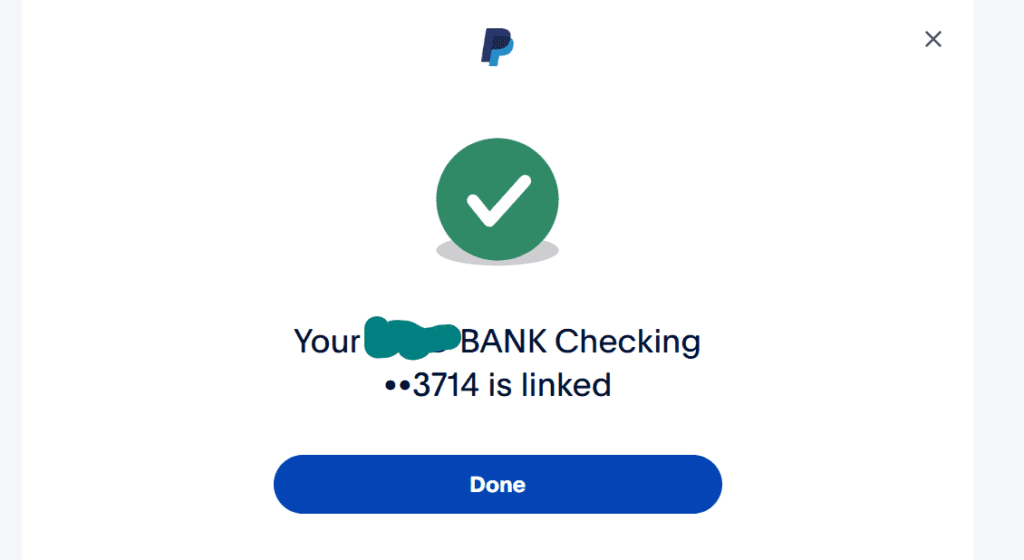
After your card has been verified and the account looks stable, you can go ahead and link a bank account.
You’ll find reliable platforms that provide U.S. bank accounts and cards compatible with PayPal inside the downloadable PayPal Guide. Make sure you check it.
To link the bank:
- Go to Banks and Cards → Link Bank.
- Enter your U.S. bank account number and routing number.
- Click Done.
Depending on the bank, PayPal may send two small deposits, such as $0.03 and $0.20, to confirm the link.
Those deposits usually show up within 2 to 3 business days.
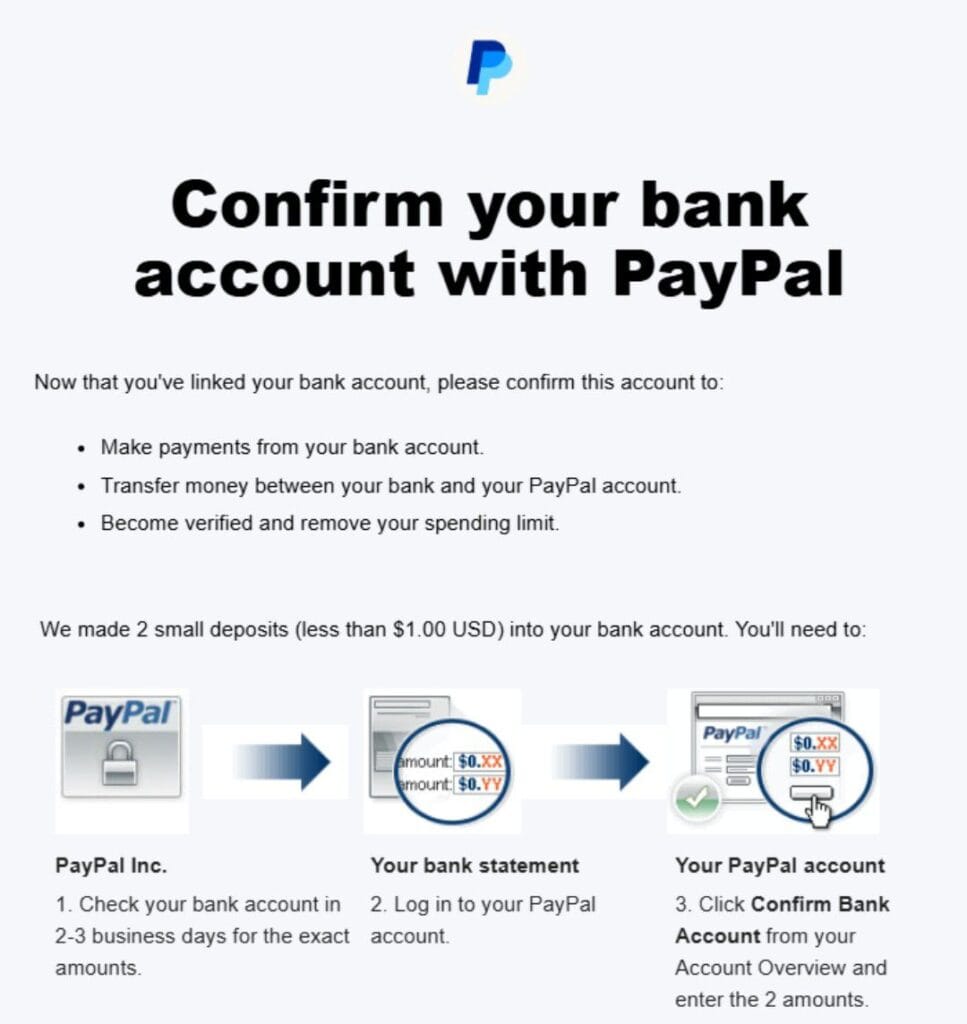
If you do not see them in your transaction history, do not worry. Tiny deposits like that are sometimes hidden automatically.
After three days, contact your bank’s customer service and ask whether any PayPal test deposits or verification codes have come in.
Once they confirm the amounts, return to your PayPal account, enter them, and complete the verification.
That’s all. Your PayPal account is now fully verified and ready to send and receive money worldwide.

🎯The Most Perfect Way — Registering a legal Business Entity Abroad
The free guide on this page can give you 70% to 90% standing, which is enough for many users. But if you want 99% reliability, or even a full 100% standing, then the strongest option is to set up a business abroad.
We offer that service.
We work with trusted partners overseas to help you set up your business legally, so you can open a fully verified PayPal Business account with no restrictions.
You pay the service fee, and we handle the process.
Some people who depend only on the free guide later say their PayPal account was limited or permanently banned. When you look closer, the reason is usually different in each case — sometimes a small setup step was missed, and sometimes the information used was not consistent.
That is why we strongly advise downloading the PayPal Best Practices Guide we send by email. We do not publish every detail publicly for obvious reasons. The sensitive parts are kept inside the guide.
This is also where our Account Creation Guidance Service becomes very useful.
When we guide you through the process, your success rate can increase by over 70% compared to doing it alone.
We usually do this through a video call, where we guide you on what to enter while you use your own real details and your own data.
We also use expert-level knowledge and strategies that go beyond what is covered in the free and paid guides.
Additional Services We Offer
We also offer a “Receive For You” service and a “Send For You” service, also known as the Pick-Up and Top-Up service.
This means you can use PayPal even without a personal account — whether you want to receive money or send payments, we handle it for you through our verified account.
So the choice depends on your comfort level and what you need. We offer flexible options:
- Information Package:
This is for you if you want to handle the process yourself or you are careful about sharing personal information. It costs less and gives you what you need to create a verified foreign PayPal account from Ghana. - Account Creation Guidance Service (Recommended):
In this option, we guide you through creating the verified PayPal account yourself.
We usually do this over a video call while you enter your own correct details with your own data.
We guide you through setup, verification, and optimization using our experience and proven methods. - Registered Business Abroad:
If you are a freelancer, professional, or business owner who wants to take both PayPal access and business credibility more seriously, we can help you register your business abroad.
This is the strongest route. It gives you a 99% chance of running your PayPal account smoothly, with very little risk of limitations or bans.
Why This Works So Well
As explained earlier, PayPal allows anyone to open a business account in a supported country, even if their home country is not fully supported.
Once the business is properly registered and connected to your PayPal account, you gain access to PayPal’s full features — sending, receiving, linking cards, linking banks, and the rest.
It is one of the best things you can do if you want long-term stability with PayPal.
You are far less likely to face sudden restrictions or limitations, and the account can work the same way it does for users in fully supported PayPal regions.
You can trust us on this.
FAQs About Using PayPal in Ghana
Can I use my Ghanaian phone number for PayPal?
If you are opening a regular Ghanaian PayPal account, then yes — you are expected to use your Ghanaian phone number.
But if you are creating a business PayPal account under another region, we do not recommend using your Ghanaian number.
Instead, use a number that matches the country where the account is being opened, or at least one from a supported region.
That keeps the account more consistent and helps reduce the risk of limitations later.
Can I send money from PayPal to a Ghanaian bank account?
Not directly. PayPal does not support direct withdrawal to Ghanaian bank accounts.
Here is the process instead:
- First, move the funds to a U.S., Euro, or Pounds bank account.
- From there, transfer the money to a platform that supports payouts to Africa.
- Then convert the foreign currency into Ghanaian Cedi.
Some platforms allow you to exchange the funds directly inside the app, while others simply send the foreign currency to you so you can convert it through local exchangers.
Can I send money to Ghana through PayPal?
Yes, but it is not a straightforward process.
You can send money to someone in Ghana only if the person is using a PayPal account that can receive funds, such as a verified foreign business PayPal account.
If the person is using a regular Ghanaian PayPal account, the payment will not go through.
What are the best PayPal alternatives in Ghana?
Since a regular Ghanaian PayPal account cannot receive money, Grey and Payoneer are two good alternatives for receiving international payments.
Grey can provide foreign bank account details for receiving US dollars (USD), British pounds (GBP), and euros (EUR). This means clients and businesses abroad can pay you through bank transfer, and you can manage or convert the funds and withdraw to Ghana through supported bank or mobile money options.
Use my link below and referral code DCLXSN to sign up and get a potential reward.
Get free Dollar, Pound, and Euro accounts to receive international payments.
👉https://greyapp.page.link/jixhVD5wH6mdykEY7
Payoneer is another popular option, especially for freelancers and businesses that need foreign receiving account details for payments from international clients and supported marketplaces.
SVZ Finance can also be considered as an alternative. We can act as an intermediary between you and the person, company, or platform trying to pay you. We can help you receive PayPal payments in Ghana (on your behalf) and send you the equivalent in lira.
How do I withdraw money from PayPal in Ghana?
There are a few ways to withdraw your PayPal funds:
- Using a PayPal Fund Exchange Website:
We offer this service. You send the PayPal funds to us, and we credit your Cedi bank account instantly at the best available rates. - Through a Foreign Bank Account (Recommended):
You can also withdraw to a U.S., Euro, or Pounds account first, then convert the money into Cedi through an exchange platform or local provider.
What is the PayPal rate in Ghana?
PayPal rates depend on the platform you use and the fees involved.
The rate you see online is not the real PayPal rate. What you usually see online is only the base exchange rate without the added fees.
In practice, PayPal charges:
- Roughly 3.5% as a transfer fee when sending money to your bank.
- A deposit or conversion fee, often around 1% or more, when converting from foreign currency into Cedi.
So the final rate can vary depending on the platform and the region involved.
How can I fund my PayPal account in Ghana?
You can fund your PayPal account in two main ways:
- By receiving money from someone — just send them your PayPal email address.
- Through a PayPal Exchanger — this is what we call our Top-Up or Checkout Service.
With our top-up service, you send us the Cedi equivalent, and we instantly credit your PayPal balance.
We also offer lower funding rates. For example, if one dollar sells for GH₵11.00 elsewhere, we may give you that same dollar for GH₵10.00.
We are able to do that because PayPal funds come with charges, and by managing those charges directly, we reduce the cost for you.
How do I link a bank account to PayPal in Ghana?
To link a bank account:
- Go to Banks and Cards in your PayPal dashboard.
- Select Link Bank.
- Enter your routing number and account number, or IBAN if it is a Euro (EUR) or Pounds (GBP) account.
- Click Done.
PayPal may verify the bank by sending two small deposits. Once you receive them, confirm the amounts to complete the process.