Internal Link Audit: How to Audit Internal Links for Better SEO
Internal Link Audit: How to Audit Internal Links for Better SEO
Many websites keep adding new articles, new category pages, and new updates without checking how everything connects. Over time, that creates a messy internal linking structure. Important pages may receive little support, broken links may go unnoticed, and older pages may stop contributing much value.
That is where an internal link audit becomes useful. It helps you review the links already on your site, spot structural problems, and improve how authority and relevance flow between pages.
This guide explains what an internal link audit is, what you should check, and how to do one in a practical way.
What Is an Internal Link Audit?

An internal link audit is the process of reviewing how pages on your website link to each other and checking whether that structure supports SEO and user navigation.
The audit is meant to answer simple but important questions. Which pages receive the most internal links? Which important pages are underlinked? Are there broken internal links, orphan pages, or links pointing through redirects?
In short, an internal link audit shows whether your existing structure is helping your site or holding it back.
Why Internal Link Audits Matter
Internal links help search engines discover pages and understand how different parts of your site relate to each other. They also guide visitors toward the next useful page.
When internal linking is not reviewed for a long time, problems start to build up. Important pages may sit too far from your main navigation, weak pages may receive too much attention, and removed pages may still collect internal links from older content.
An audit helps you fix those issues before they affect rankings, crawl efficiency, or user experience.
What to Check in an Internal Link Audit
A good audit does not focus on link count alone. You need to review the structure from several angles.
| Audit Area | What to Check | Why It Matters |
|---|---|---|
| Broken internal links | Links pointing to 404 or removed pages | They waste internal authority and create a poor experience |
| Orphan pages | Pages with no incoming internal links | They are harder for users and search engines to find |
| Crawl depth | How many clicks it takes to reach important pages | Deep pages often receive less attention and weaker support |
| Internal link distribution | Which pages receive many links and which receive very few | It shows whether authority is flowing to the right places |
| Anchor text | Whether anchors describe the destination clearly | Descriptive anchors help users and search engines understand context |
| Redirecting links | Links pointing to redirected URLs instead of final URLs | They create extra hops and should usually be updated |
Broken Internal Links
Broken internal links are one of the first things to look for during an audit. These are links that point to pages that no longer exist or return an error.
They weaken the user experience and can waste the value that link was meant to pass. If an important page has several internal links pointing to a dead URL, that is usually one of the easiest problems to fix.
Orphan Pages and Weakly Linked Pages
Orphan pages are pages that receive no internal links from other pages on your site. Weakly linked pages are not fully orphaned, but they receive so little support that they are still hard to find.
This matters because a page can exist on your site and still play almost no role in the wider structure. If the page matters for traffic, rankings, or conversions, it should have a clear place in your internal linking system.
Crawl Depth and Page Accessibility
Crawl depth refers to how many clicks it takes to reach a page from a starting point such as the homepage or a main category page.
If important pages sit too deep in the site, they often receive less internal support and may be harder for both visitors and search engines to reach. During an audit, check whether your key pages are easy to access through navigation, category pages, and contextual links.
Anchor Text and Link Relevance
An internal link audit should also review the words used in your internal links. Anchor text should tell readers what they can expect when they click.
If too many internal links use vague phrases, the linked page gets less contextual support. It is also worth checking whether links are placed in relevant sections of the page instead of being added without much connection to the surrounding content.
Links Pointing Through Redirects
Another issue worth checking is internal links that still point to redirected URLs. This often happens after URL changes, content updates, or site migrations.
A redirect may still take users to the correct page, but it is usually better to update the internal link so it points directly to the final destination. That keeps your structure cleaner and removes unnecessary steps.
How to Do an Internal Link Audit
The best way to run an internal link audit is to follow a simple process from start to finish.
- Crawl your website and collect a full list of URLs
- Identify your most important pages
- Check which pages receive the most and fewest internal links
- Find broken internal links and links pointing through redirects
- Look for orphan pages and pages buried too deep in the site
- Review anchor text and contextual relevance
- Update, remove, or add links where needed
This process gives you a clear view of what to fix first. It also helps you work in order instead of making random edits across the site.
Start With Your Priority Pages
Not every page needs the same level of attention during an audit. Start with the pages that matter most to your business or SEO goals.
These might be your main topic pages, high-converting landing pages, important product or service pages, or articles targeting your strongest keywords. Once those pages are properly supported, you can move on to the rest of the site.
Use Tools When the Site Gets Larger
You can review a small website manually, especially if it has only a few important sections. But once the site grows, a manual review becomes slow and easy to miss things.
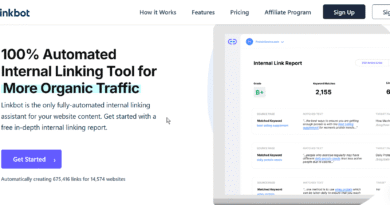
That is where internal linking tools and site crawlers can help. They make it easier to spot broken links, orphan pages, weak internal link distribution, and pages that need more support.
The tool does not replace judgment, but it makes the audit much faster and gives you a clearer picture of the site structure.
How Often Should You Audit Internal Links?
That depends on how often your site changes. A small site that publishes occasionally may only need a review every few months.
A larger content site or ecommerce site may need regular audits because links change more often, pages get updated, and older content can fall out of the structure. If you publish frequently, an internal link audit should become part of your maintenance workflow.
Common Internal Link Audit Mistakes
One common mistake is focusing only on broken links. That matters, but it is only one part of the audit.
Another mistake is treating every page as equally important. A useful audit gives more attention to pages that matter most for rankings, traffic, or conversions.
It is also common to fix technical issues without improving the structure itself. A page may have no broken links and still receive too little internal support to perform well.
Conclusion
An internal link audit helps you understand whether your site structure is doing its job. It shows where pages are unsupported, where links are broken, and where your most important pages need more help.
When you audit internal links regularly, your site becomes easier to maintain and easier to navigate. More importantly, you gain a clearer structure that supports both SEO and the people using your website.